
How to Connect Your Mobile to LAN (Ethernet) Using a USB Adapter
Learn how to connect your mobile phone to LAN (Ethernet) using a USB to RJ45 Adapter. Get faster, stable internet on your smartphone and share it via hotspot. Works with Type‑C and Micro‑USB devices.
ACUTEMAP LEARNING ARTICLES
2/15/20261 min read
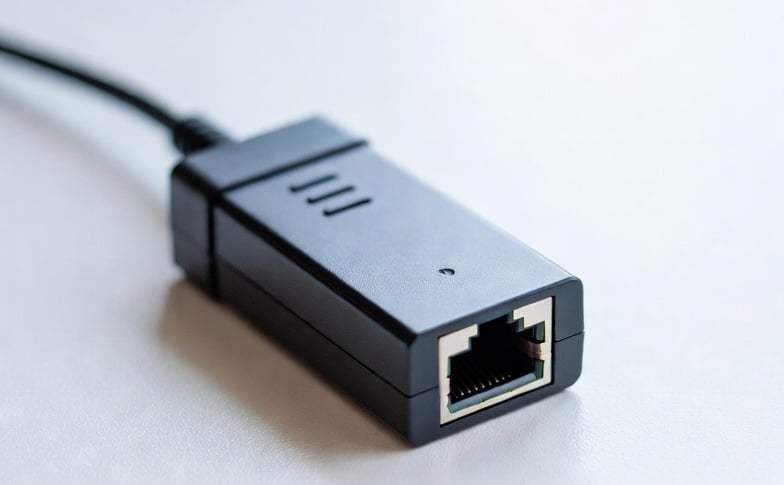
In today’s world, mobile internet is the most widely used option. However, in many places—especially rural areas or inside office buildings—the network often becomes weak and unstable. If you have access to a LAN (Ethernet) connection, you might want your mobile phone to use that wired internet directly. Normally, smartphones don’t come with an RJ45 LAN port, but a small device called a USB to LAN Adapter solves this problem.
This adapter plugs into your mobile’s USB Type‑C or Micro‑USB port, and the other end connects to a LAN cable. Once connected, your mobile can access wired internet directly, giving you faster speed and more stable connectivity compared to mobile data.
How Does It Work?
Mobile phones cannot connect directly to an RJ45 LAN cable.
You need a USB to LAN Adapter.
For modern smartphones with Type‑C ports, use a Type‑C to RJ45 Ethernet Adapter.
For older phones with Micro‑USB ports, use an OTG + LAN Adapter.
Benefits of Using LAN on Mobile
Stable Internet: Even in weak network areas, LAN provides reliable connectivity.
Faster Speed: Some adapters support Gigabit Ethernet (up to 1000 Mbps).
Hotspot Sharing: Once your mobile is connected to LAN, you can create a hotspot and share fast internet with other devices.
Popular Adapter Options
TP‑Link UE300C (Type‑C to RJ45 Gigabit Adapter)
Zebronics Type‑C to RJ45 Adapter
Foxin USB LAN Adapter
👉 In simple words: If you have a good smartphone and want to use LAN internet on it, just buy a USB to LAN Adapter, plug it into your mobile’s USB port, connect the LAN cable, and enjoy fast, stable wired internet directly on your phone.
So this tool is very useful for everyone.